Final Year Projects • Internships • Free Training
0%
Back to Projects
Major Project · Web Development

Visually Imparied Students Project

The project “Visually Impaired Students” is a Django-based web application that supports accessible learning and examination management. It provides admin, faculty, and student modules for managing users, classes, subjects, exams, notes, and results. Students can …

Difficulty Level
Advanced
Core Modules
5 Modules
Laptop frame

Project Overview

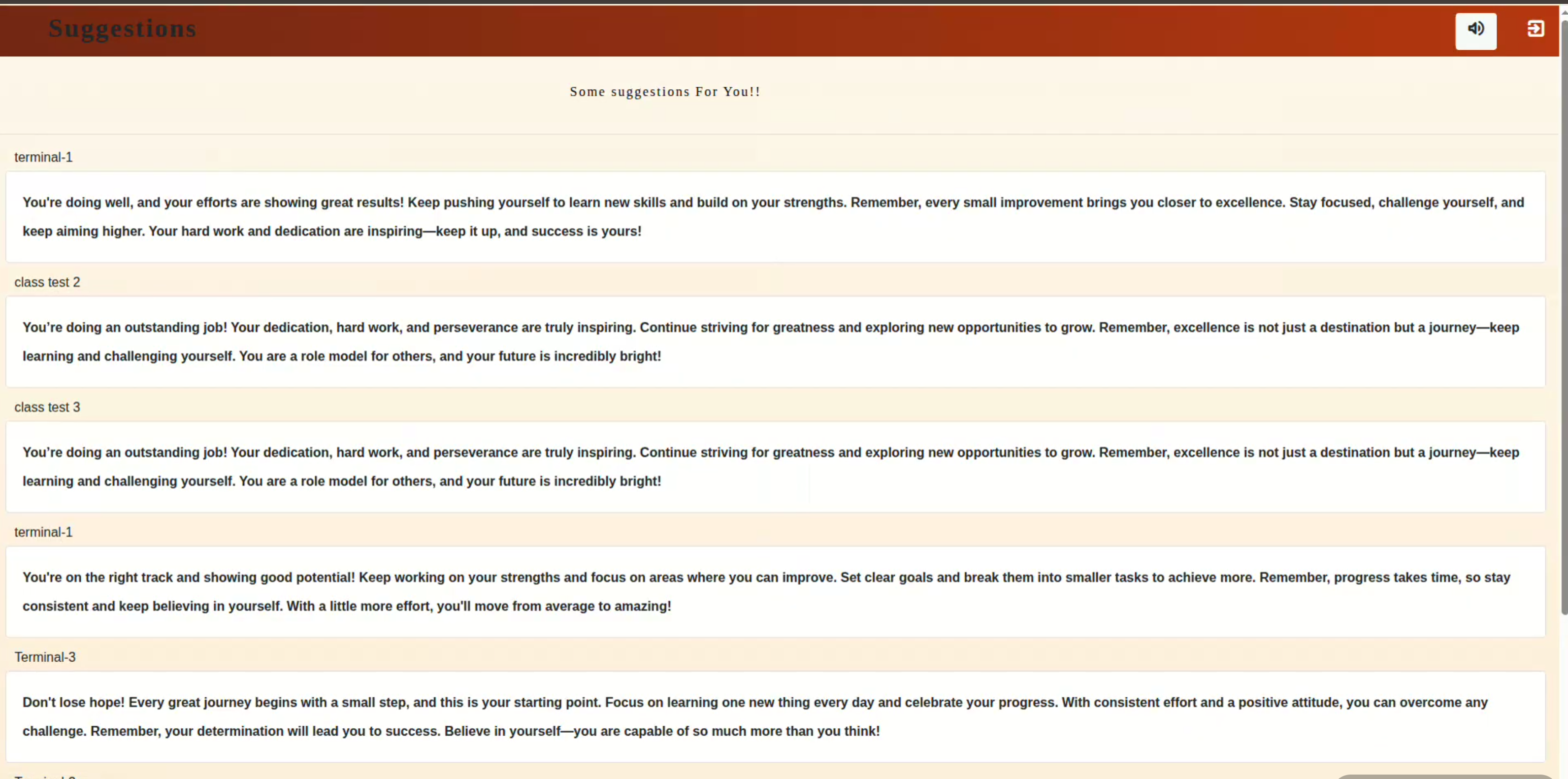
The project “Visually Impaired Students” is a web-based application designed to support visually impaired students in academic activities, especially online examinations and learning management. The system provides separate modules for administrators, faculty, and students. Administrators can manage faculty, students, subjects, and classes, while faculty members can create exams, add questions, assign exams to classes, view student performance, maintain notes, and provide suggestions based on scores.

A key feature of the system is student authentication through face recognition, which helps visually impaired students log in more easily without depending only on manual credentials. The exam module allows faculty to activate or deactivate exams, manage objective-type questions, evaluate student responses, and store results. Based on student scores, the system can categorize performance and provide useful suggestions for improvement. The notes and message features further support communication and learning accessibility.

Overall, this project aims to make digital education more accessible, organized, and supportive for visually impaired students by combining user management, examination handling, result tracking, suggestions, notes, and face-based login in a single Django-based platform.
Module Breakdown 5 Modules

Accounts Module
The Accounts module manages authentication and the core database models. It defines the custom user model, faculty model, student model, subjects, classes, exams, exam questions, assigned exams, results, scores, suggestion categories, and exam history.
Admin Page Module
The Admin Page module provides administrator screens for master data management. - Admin dashboard. - Add and view faculty. - Add and view students. - Add and remove subjects. - Add and remove classes. - Assign classes to faculty. - Remove faculty and student records.
Faculty/Home Module
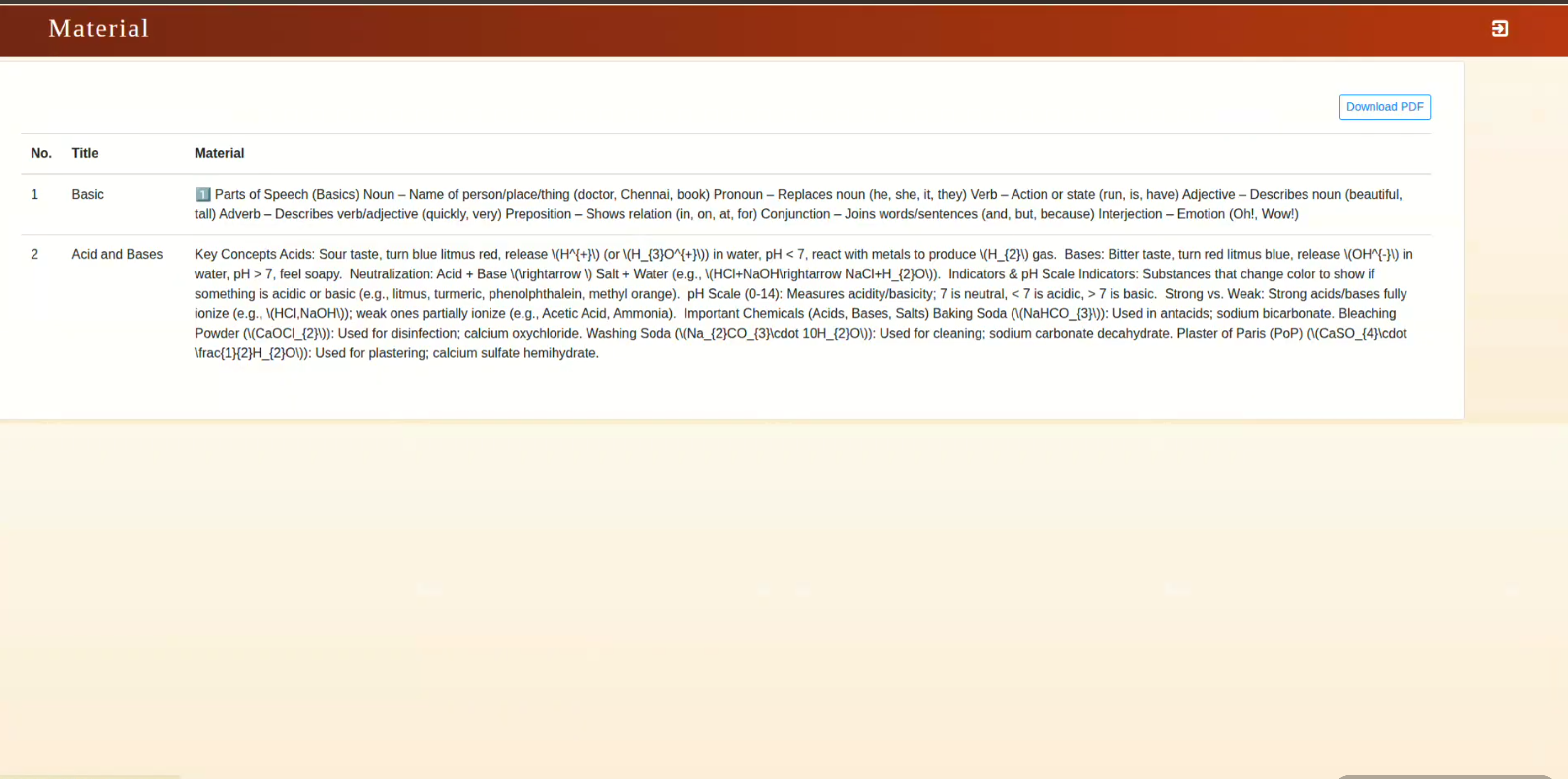
The Faculty module supports academic activities performed by faculty members. - View assigned class students. - Search student by student ID. - View student details and scores. - Create exams. - Add, update, and delete exam questions. - Assign exams to class. - Activate and deactivate exams. - View student-wise exam results. - Create and delete notes. - Export notes as PDF. - Send messages to students. - View students who have seen messages.
Student App Module
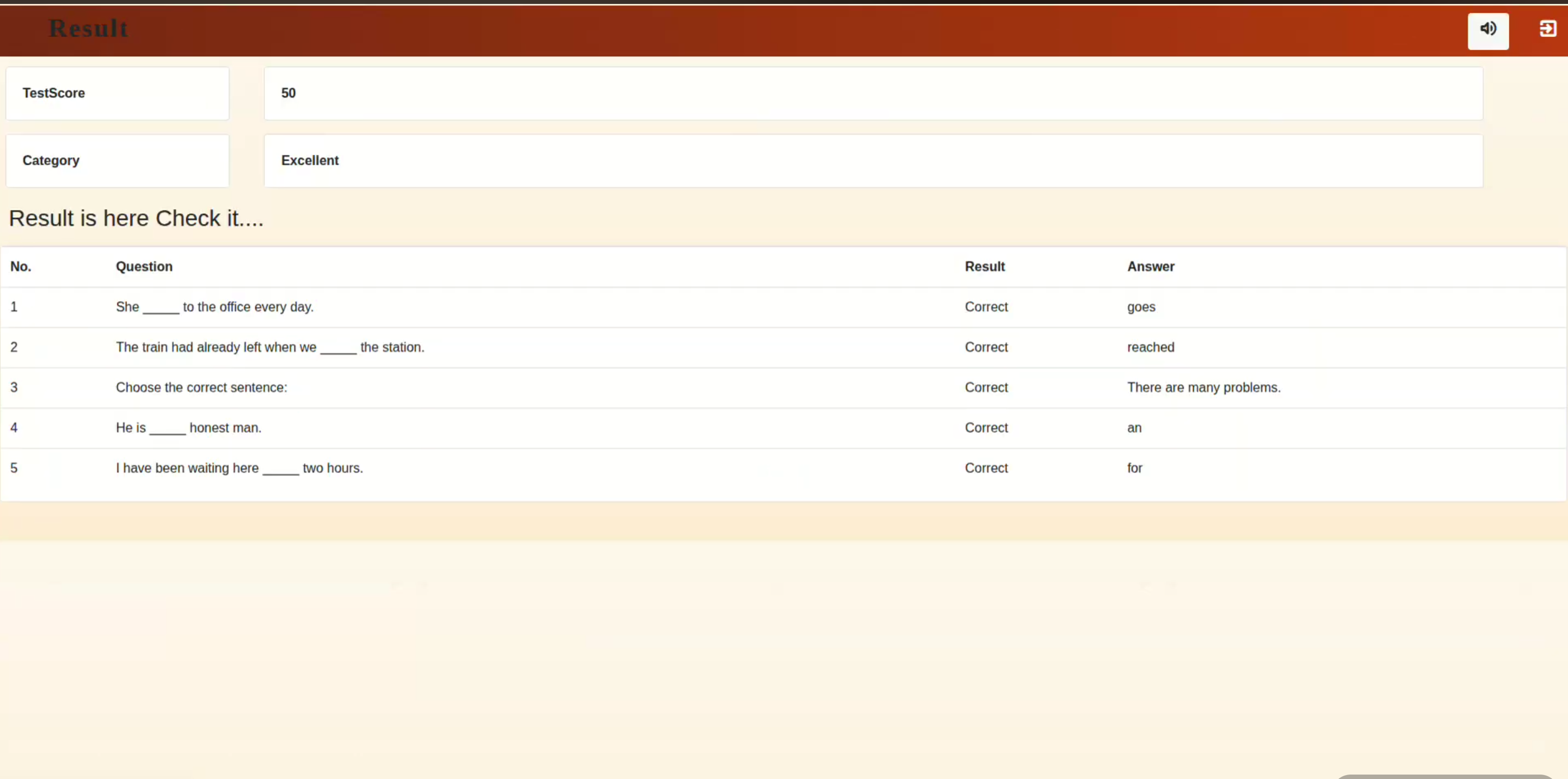
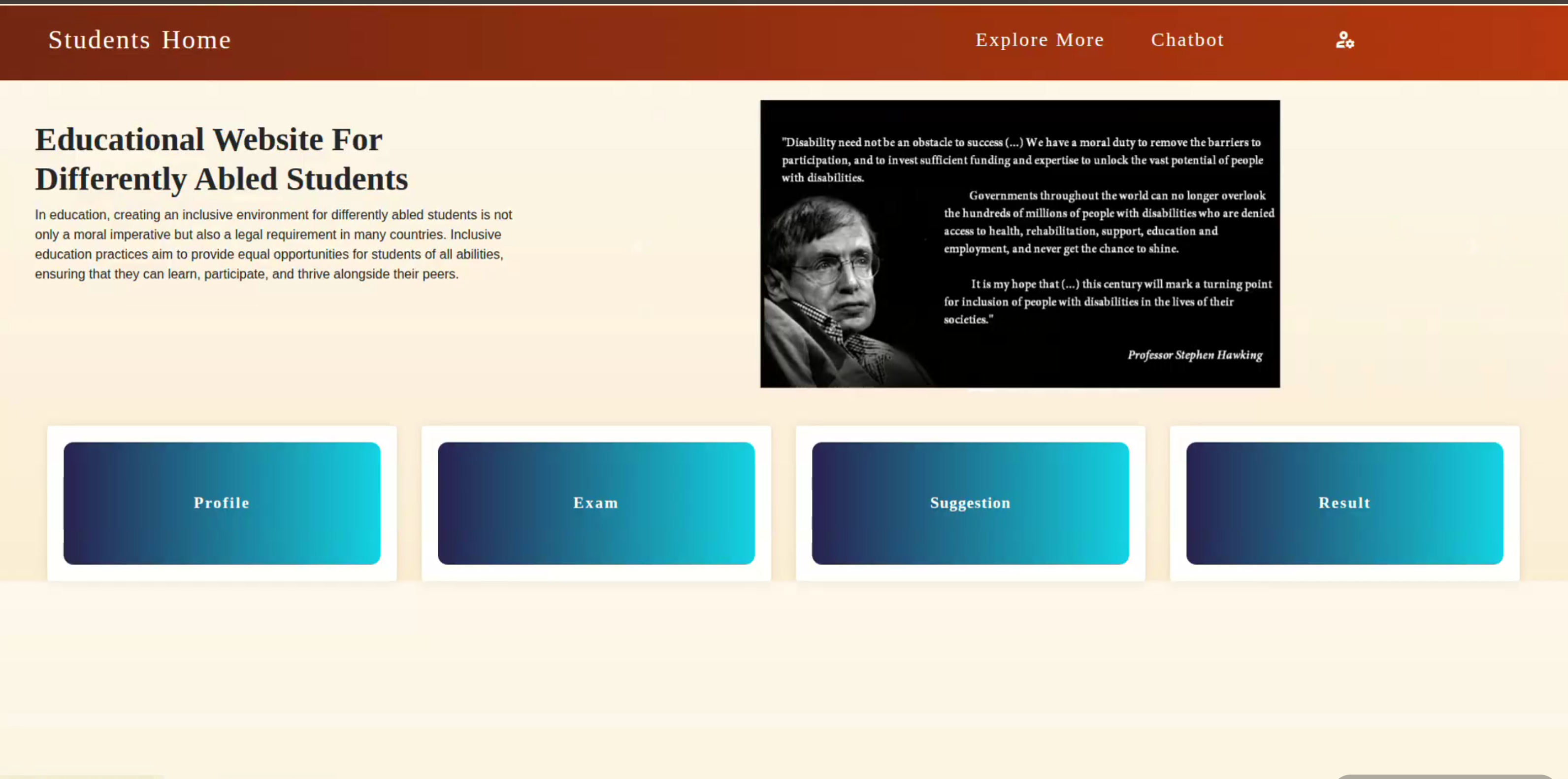
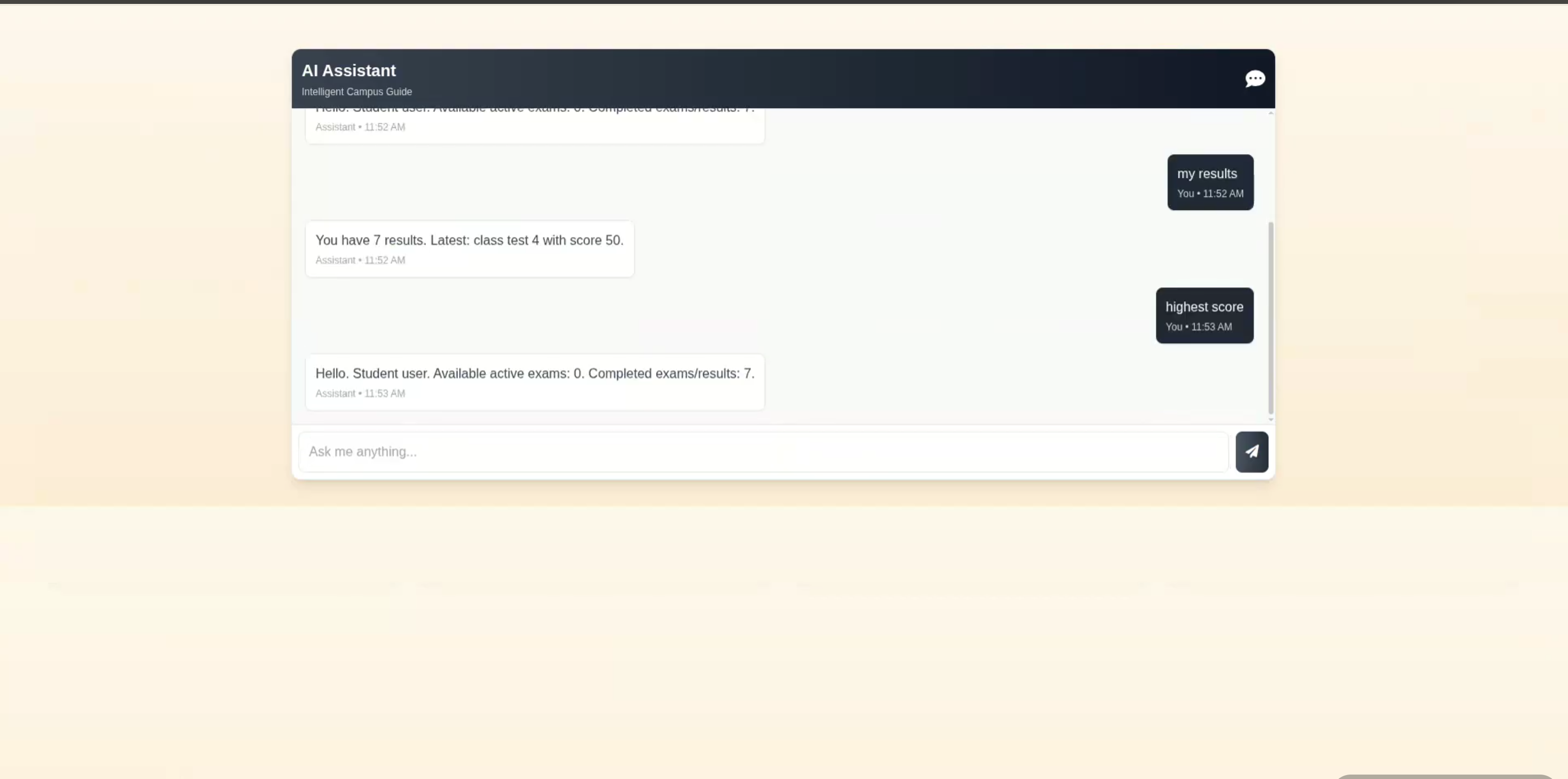
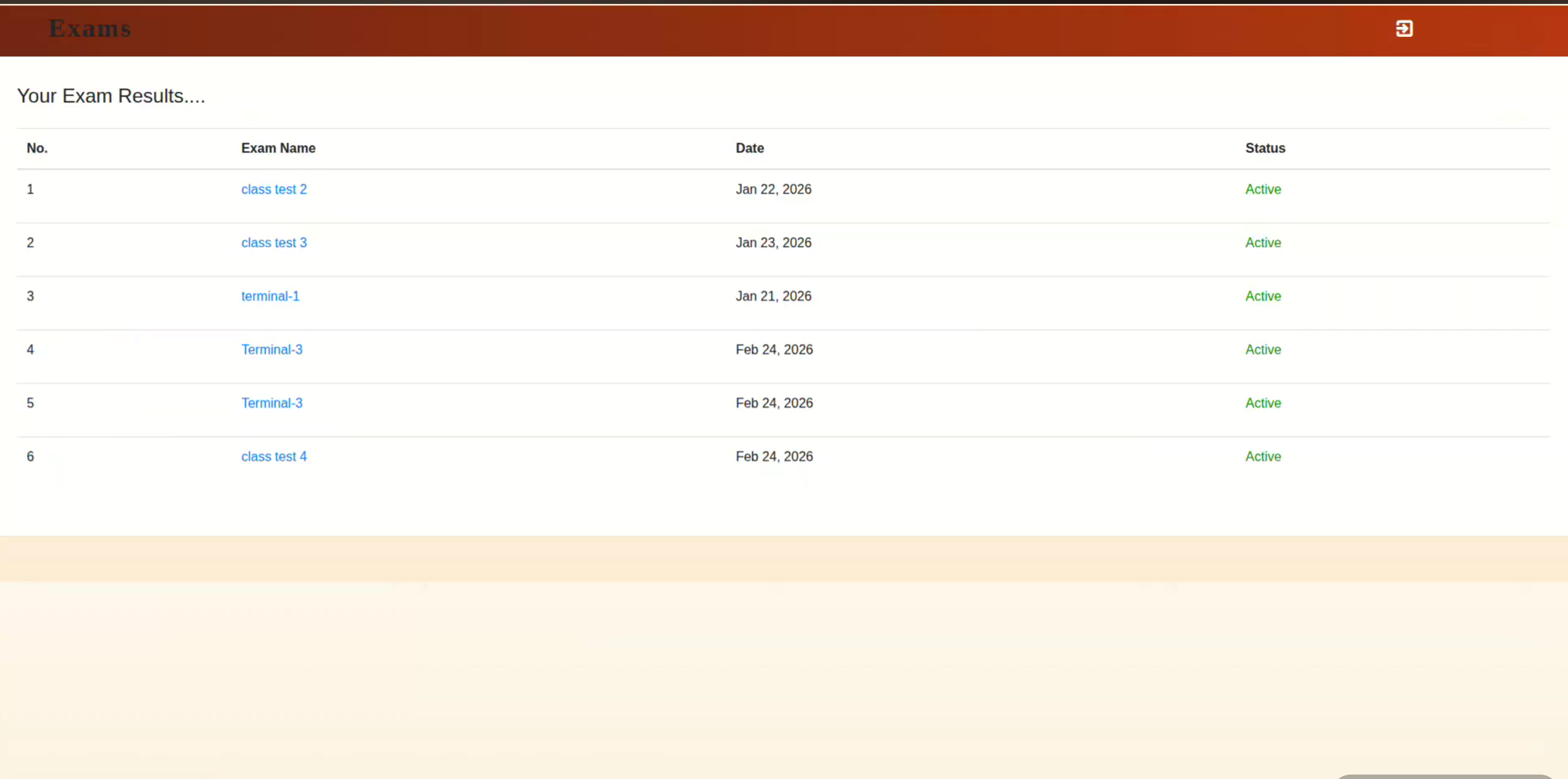
The Student App module provides student-side pages and workflows. - Student dashboard. - View and update profile. - Change password. - View assigned active exams. - Attend exams. - Submit answers. - View result after submission. - View result history. - View performance suggestions. - Read notes. - Read faculty messages. - Access chatbot page.
Examination Module
The Examination module connects faculty-created exams with student submissions and result generation. Faculty creates an exam. Faculty adds multiple-choice questions. Faculty assigns the exam to the class. The exam becomes active. Student views and attends the exam. Student submits answers. System checks answers automatically. System calculates score. Result and score are stored. Performance suggestion category is assigned.

Technology Stack

Python HTML CSS3 Java Script Django

Project Screenshots 6 Screenshots

Screenshot 1 of Visually Imparied Students
Screenshot 1
Screenshot 2 of Visually Imparied Students
Screenshot 2
Screenshot 3 of Visually Imparied Students
Screenshot 3
Screenshot 4 of Visually Imparied Students
Screenshot 4
Screenshot 5 of Visually Imparied Students
Screenshot 5
Screenshot 6 of Visually Imparied Students
Screenshot 6

Project Abstract

The project “Visually Impaired Students” is a web-based application designed to support visually impaired students in academic activities, especially online examinations and learning management. The system provides separate modules for administrators, faculty, and students. Administrators can manage faculty, students, subjects, and classes, while faculty members can create exams, add questions, assign exams to classes, view student performance, maintain notes, and provide suggestions based on scores. A key feature of the system is student authentication through face recognition, which helps visually impaired students log in more easily without depending only on manual credentials. The exam module allows faculty to activate or deactivate exams, manage objective-type questions, evaluate student responses, and store results. Based on student scores, the system can categorize performance and provide useful suggestions for improvement. The notes and message features further support communication and learning accessibility. Overall, this project aims to make digital education more accessible, organized, and supportive for visually impaired students by combining user management, examination handling, result tracking, suggestions, notes, and face-based login in a single Django-based platform.
Project Kit Includes

Complete Source Code
Database Schema & Setup Guide
Project Report Template
Completion Certificate
Installation & Deployment Guide

Free Hands‑on Training

100% FREE · LIVE CLASSES

Full‑stack / AI Mentorship

Get 20+ hours of live training covering the exact stack used in this project. Includes code review, doubt clearing, and viva preparation.

Claim Free Training Seat

Explore More Projects

Browse 150+ academic and industry-ready projects across AI, Web, Data Science, and Cloud domains.

View All Projects

Enroll Now

Leave your details and we will get back to you shortly.

Please enter your full name
Please enter a valid email
Please enter a valid phone number (7-15 digits)
Please enter your college name
Application submitted successfully.
Chat on WhatsApp Anvitha Infotech • Enhanced Footer