Final Year Projects • Internships • Free Training
0%
Back to Projects
Major Project · Web Development

College Management System Project

ollege Job Portal is a Django-based web application developed to manage placement-related activities in a college. The system provides separate interfaces for administrators, faculty members, and students. Administrators can manage departments, courses, students, faculty, job …

Difficulty Level
Intermediate
Core Modules
9 Modules
Laptop frame

Project Overview

The College Job Portal is designed to simplify and digitize the placement management process of an educational institution. In traditional placement systems, student details, job openings, faculty details, training programs, and application records are often maintained manually, which can lead to delays, data duplication, and difficulty in tracking student progress. This project solves those issues by providing a centralized web platform where placement-related data can be stored, updated, searched, and accessed efficiently.

The application is built using Python and Django with SQLite as the database. It supports role-based workflows for administrators, faculty, and students. Admin users can add and manage departments, courses, students, faculty, jobs, interview steps, placement records, news, and training information. Students can log in using their student ID and password, view available jobs, apply with resumes, check job status, view notifications, and use OTP-based password reset. Faculty users can log in, update their profile, and view student information based on course and enrollment year.

Overall, the system improves communication between students, faculty, and placement administrators. It reduces manual work, improves data accessibility, and provides an organized platform for managing placement and training activities.
Module Breakdown 9 Modules

CMS Module
The CMS module is the main Django project configuration module. It connects all application modules and handles project-level settings.
AdminUI Module
The AdminUI module is used by admin faculty or placement administrators to manage the main data of the portal. Features: - Admin login and dashboard. - Add, view, edit, and delete departments. - Add, view, edit, and delete courses. - Add students manually. - Add students through Excel upload. - View and search students by course and enrollment year. - Add and view faculty members. - Search faculty members by department. - Add and manage job openings. - Add interview steps for jobs. - View job applications submitted by students. - Download student resumes. - Add and manage placement news. - Add and manage training-related news. - Add and display placed student details. - Manage marquee/alert messages. - Search job status and training records.
Student Module
The Student module provides the public website and student-facing features. It allows students to log in, view jobs, apply for jobs, view notifications, apply for training, and manage profile details. Features: - Home page with jobs, news, placement records, and alerts. - Student login using `StudentId` and password. - Student logout. - Student profile view. - Student profile edit and update. - View job vacancy list. - View single job details. - Apply for a job by uploading a resume. - Prevent repeated application for the same job. - View placement and recruiter information. - View training/news notifications. - Apply for training programs. - OTP-based password reset using email. - View interview/job status updates. - Access help, gallery, and contact pages.
FacultyUI Module
The FacultyUI module provides features for faculty members. Faculty can log in, view their profile, update additional profile details, and view student records. - Faculty login using `FacultyID` and contact number. - Redirect admin faculty to the admin dashboard. - Redirect non-admin faculty to the faculty dashboard. - Faculty profile view. - Faculty profile edit and update. - Store additional faculty details such as date of birth, alternate contact, address, email, bank details, IFSC, and photo. - View student list. - Search students by course and enrollment year. - View individual student details. - Faculty logout.
Department And Course Management
This feature is handled by the AdminUI module. Departments and courses are created before adding faculty and students. - Add department. - View department list. - Edit department. - Delete department. - Add course under a department. - View course list. - Edit course. - Delete course.
Faculty Management
This feature allows administrators to maintain faculty records. - Add faculty. - Mark faculty as admin or non-admin. - Assign faculty to a department. - View faculty list. - Search faculty by department. - View individual faculty details.
Job Management
This feature allows administrators to publish job openings and manage interview steps. - Add job opening. - Store company name, job title, location, qualification, description, email, and job image. - View job openings. - Edit job details. - Delete job openings. - Add interview steps for a job. - View job applications. - Download resumes uploaded by students.
Job Application Module
This module allows students to apply for available jobs. - View job list. - View single job details. - Upload resume while applying. - Store job application details. - Check whether a student has already applied. - Allow admin to view applicants. - Allow admin to download applicant resumes.
Placement News And Notification Module
This module is used to display news, notifications, and training-related updates, - Add placement news. - Add training/program news. - View notifications. - View single notification details. - Upload images with news. - Display recent news on the home page.

Technology Stack

Python HTML CSS3 Django SQLite

Project Screenshots 5 Screenshots

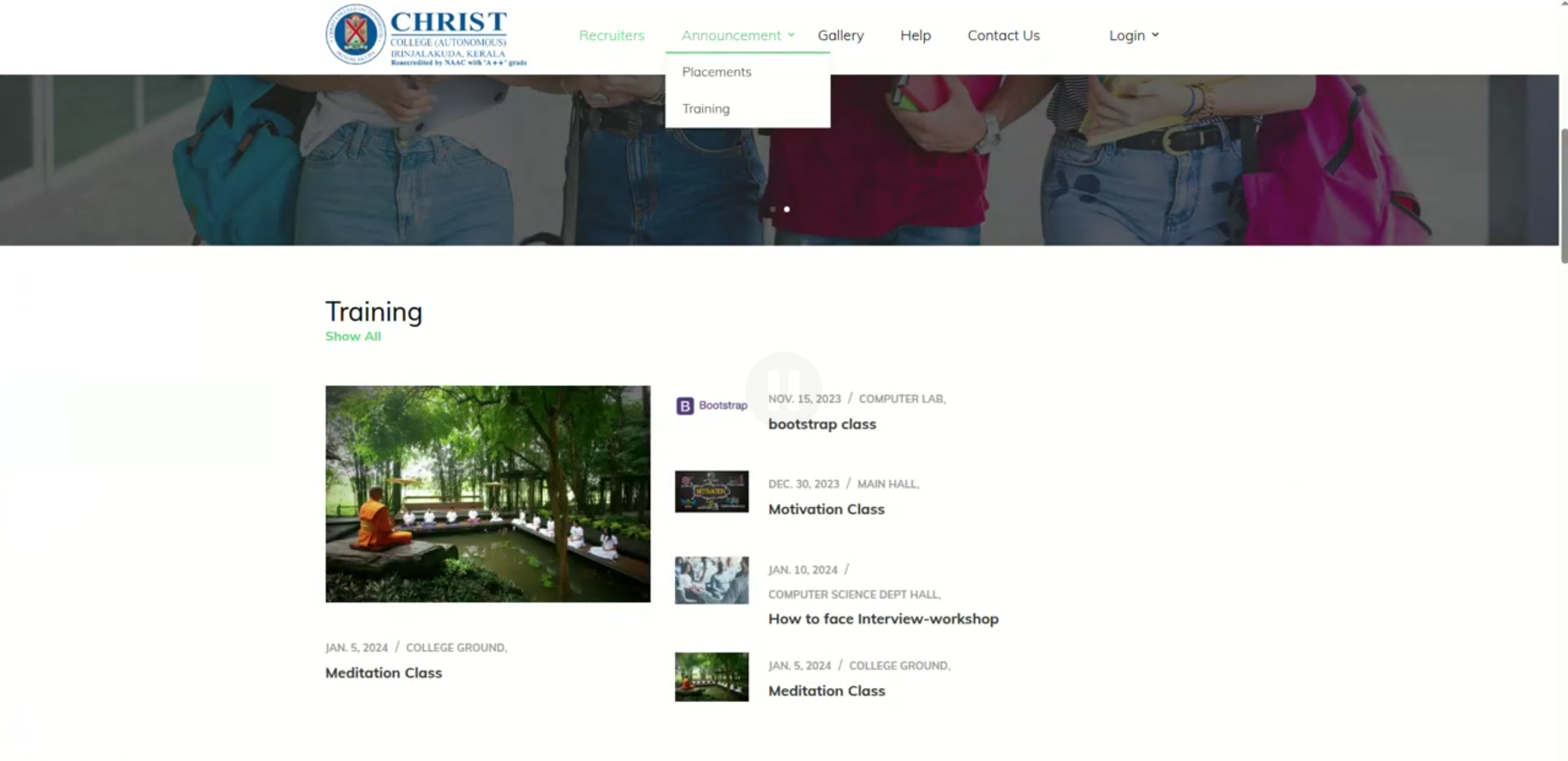
Screenshot 1 of College Management System
Screenshot 1
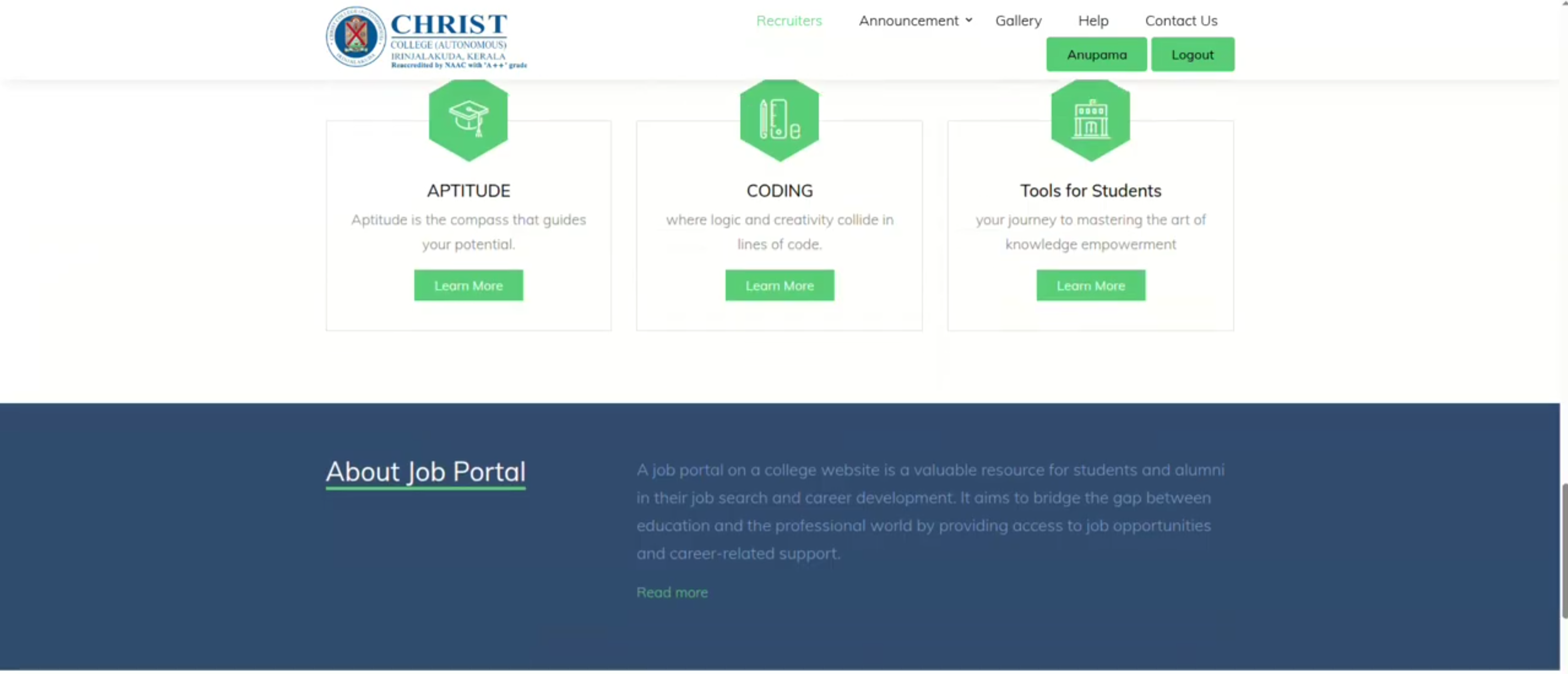
Screenshot 2 of College Management System
Screenshot 2
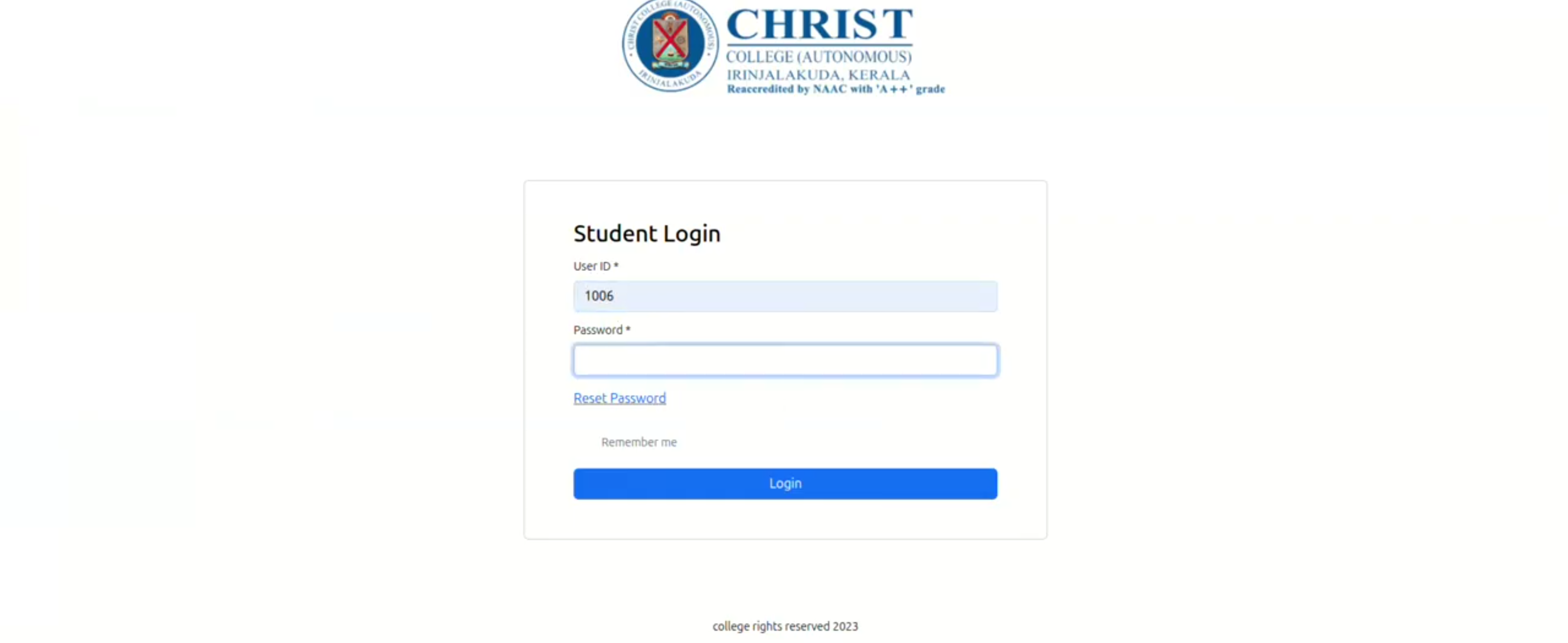
Screenshot 3 of College Management System
Screenshot 3
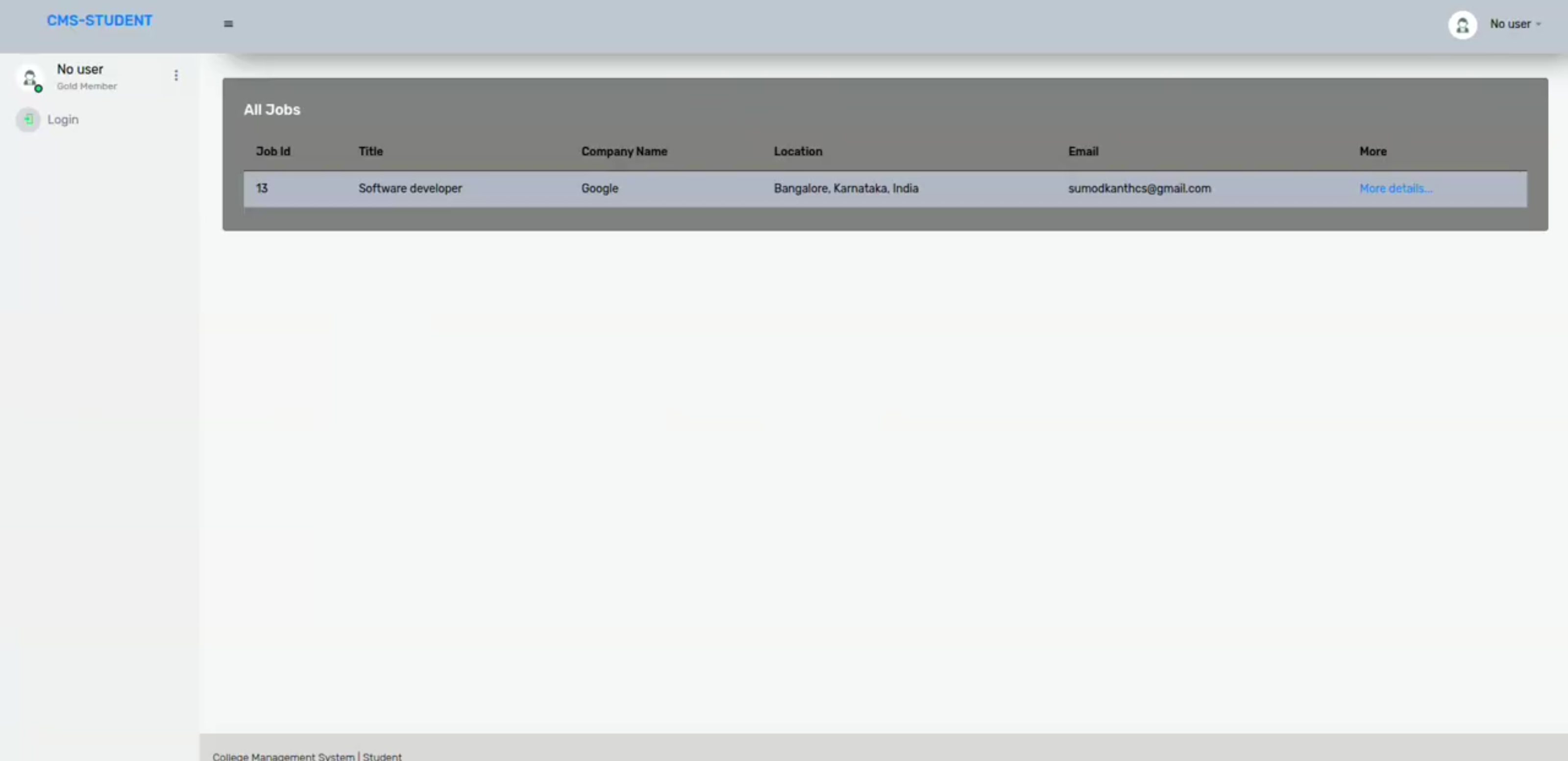
Screenshot 4 of College Management System
Screenshot 4
Screenshot 5 of College Management System
Screenshot 5

Project Abstract

The College Job Portal is designed to simplify and digitize the placement management process of an educational institution. In traditional placement systems, student details, job openings, faculty details, training programs, and application records are often maintained manually, which can lead to delays, data duplication, and difficulty in tracking student progress. This project solves those issues by providing a centralized web platform where placement-related data can be stored, updated, searched, and accessed efficiently. The application is built using Python and Django with SQLite as the database. It supports role-based workflows for administrators, faculty, and students. Admin users can add and manage departments, courses, students, faculty, jobs, interview steps, placement records, news, and training information. Students can log in using their student ID and password, view available jobs, apply with resumes, check job status, view notifications, and use OTP-based password reset. Faculty users can log in, update their profile, and view student information based on course and enrollment year. Overall, the system improves communication between students, faculty, and placement administrators. It reduces manual work, improves data accessibility, and provides an organized platform for managing placement and training activities.
Project Kit Includes

Complete Source Code
Database Schema & Setup Guide
Project Report Template
Completion Certificate
Installation & Deployment Guide

Free Hands‑on Training

100% FREE · LIVE CLASSES

Full‑stack / AI Mentorship

Get 20+ hours of live training covering the exact stack used in this project. Includes code review, doubt clearing, and viva preparation.

Claim Free Training Seat

Explore More Projects

Browse 150+ academic and industry-ready projects across AI, Web, Data Science, and Cloud domains.

View All Projects

Enroll Now

Leave your details and we will get back to you shortly.

Please enter your full name
Please enter a valid email
Please enter a valid phone number (7-15 digits)
Please enter your college name
Application submitted successfully.
Chat on WhatsApp Anvitha Infotech • Enhanced Footer